Follow one refund bug into review
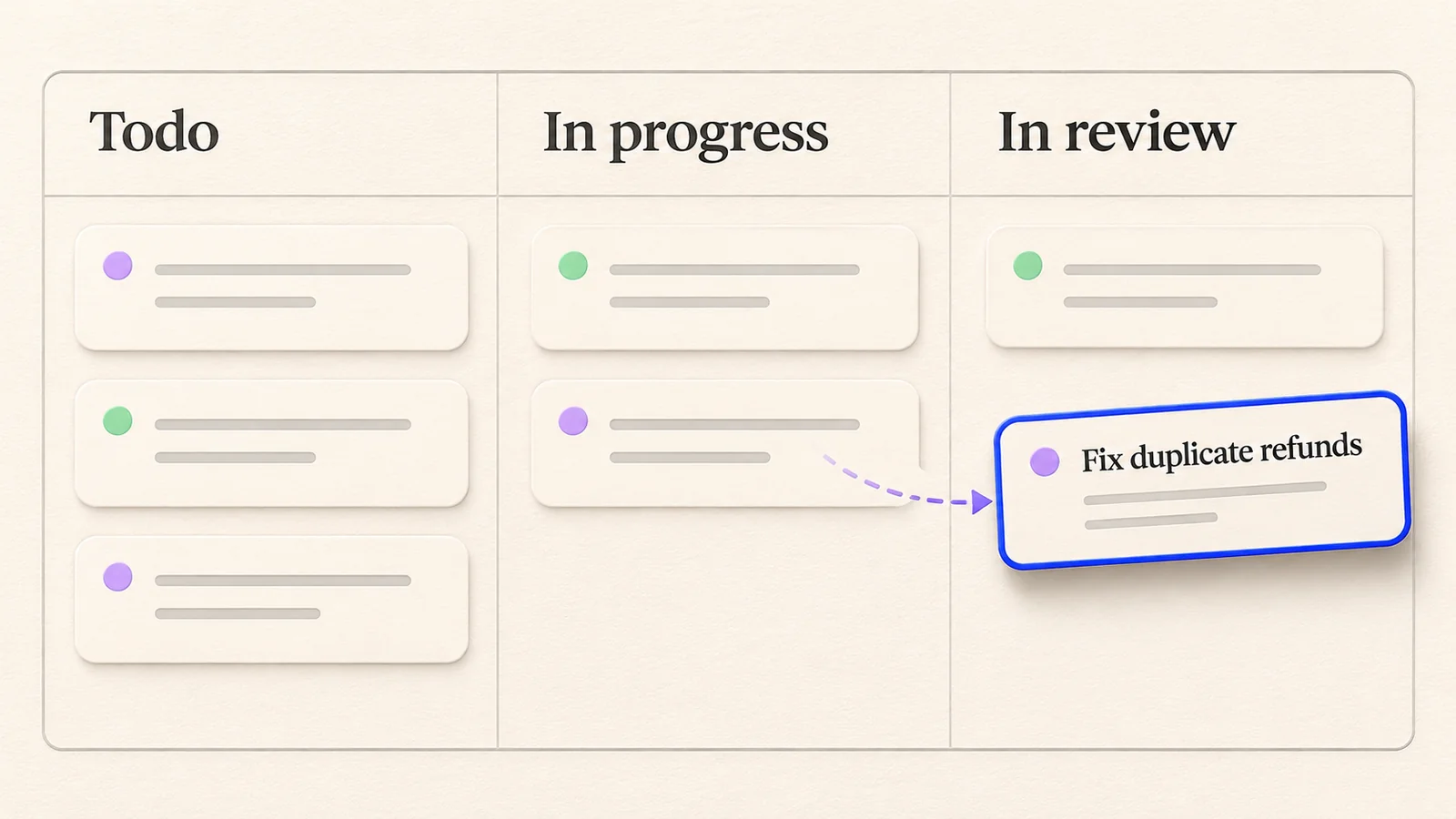
Suppose a support engineer files “Fix duplicate refunds” after a customer receives two refunds for one return. By lunchtime, a developer has reproduced the bug and written a fix. The issue is still open, so the support engineer has to read the discussion to find out who has the next move.
On November 23, GitHub announced a public preview that puts a status on the issue itself. In our example, assigning the bug to a developer sets it to Todo. Linking a draft pull request moves it to In progress. When the developer marks that draft ready for review, the issue moves to In review.
That last move tells the support engineer when to ask for a reviewer. A customer asking whether it is safe to retry the refund needs a different answer. For that, check whether the fix has reached the payment service.
Give reviewers a queue they can use
In a repository with the preview enabled, open a saved issue view. Choose the board layout under View options and group the columns by status. The refund bug now appears alongside the other issues waiting for review. Open its linked pull request to see the change and the test that covers the second refund attempt.
Dragging a card between status columns edits the underlying issue. Moving the refund bug to Done closes it. If the team wants a shorter board for stand-up, adjust the visible columns instead of moving unfinished work. An older issue can also lack a status, so check the existing backlog before relying on the board as the whole review queue.
Check what a board move does to notifications
Consider a workflow that sends a support notification whenever a bug closes. If it subscribes to the issues event without naming activity types, the preview can make it run when a card moves into review. Moving a card to Done can then trigger two runs, one for the status change and another for the closure.
For a notification that means “this bug closed,” subscribe only to the closed activity. Try it with a sample issue before changing the team’s board. Move the sample into review, then to Done. The support channel should get exactly one closure message, after the second move.
Key Engineering Takeaways
Related Radiaix Systems, Services & Technical References
GitHub’s November 23 release notes cover board settings, pull request transitions and synchronization with Projects.
GitHub documents how old issues acquire a status and which events accompany closing or reopening an issue.
Frequently Asked Questions
Do I need a GitHub Project to use a repository board?
A saved issue view in a repository with preview access can display the board on its own. If you also track the issue in a GitHub Project, matching status values allow changes to sync in both directions.
What happens if the pull request is already open for review?
Linking an open, non-draft pull request to the issue moves the issue directly to In review.